
How to register
your company

Create your business account on Importacoletiva in just a few minutes.
And start importing with confidence.

What you will need

domain
Company name
person
Full name of the person in charge
mail
Business email
lock
Secure password (8+ characters)

Follow these 8 steps to get started.

1

Visit importacoletiva.com.br

Open your browser and go to the Importacoletiva website. You will arrive at the homepage with the navigation bar at the top.

💡 Find the orange button Locate the orange button. Login In the upper right corner of the page, click to begin.
importacoletiva.com.br
Página inicial da Importacoletiva com botão Login destacado
2

Click on "Register Company""

The Login button takes you to the authentication page. Since you are new, look at the bottom of the login card.
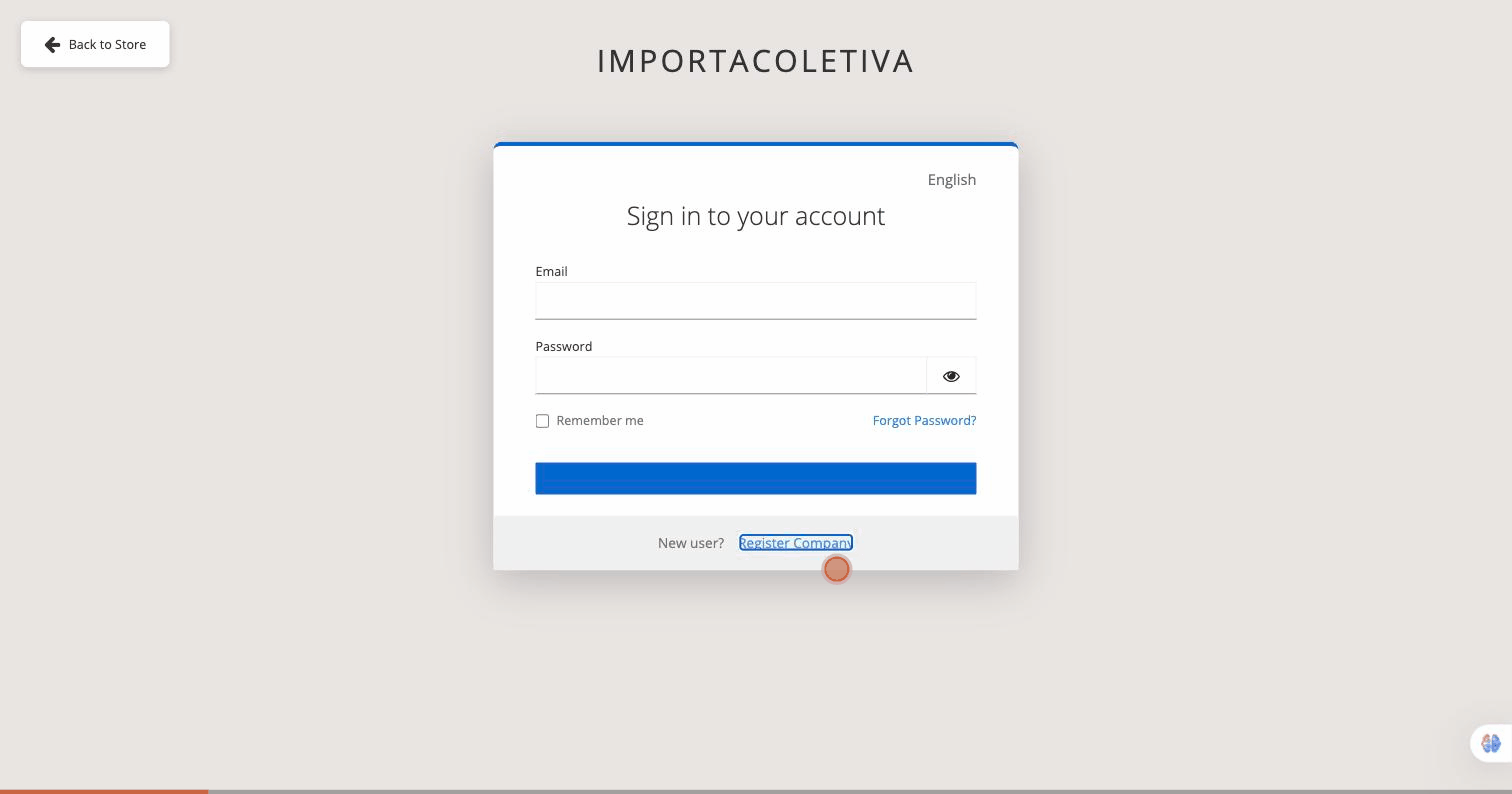
💡 New user area At the bottom you will see: "New user? Register Company" Click this link to open the registration form.
auth.importacoletiva.com.br
Página de acesso com link Register Company
3

Please provide the company's legal name.

The registration form is open. In Company Information, Please enter your company's full legal name in the first field.
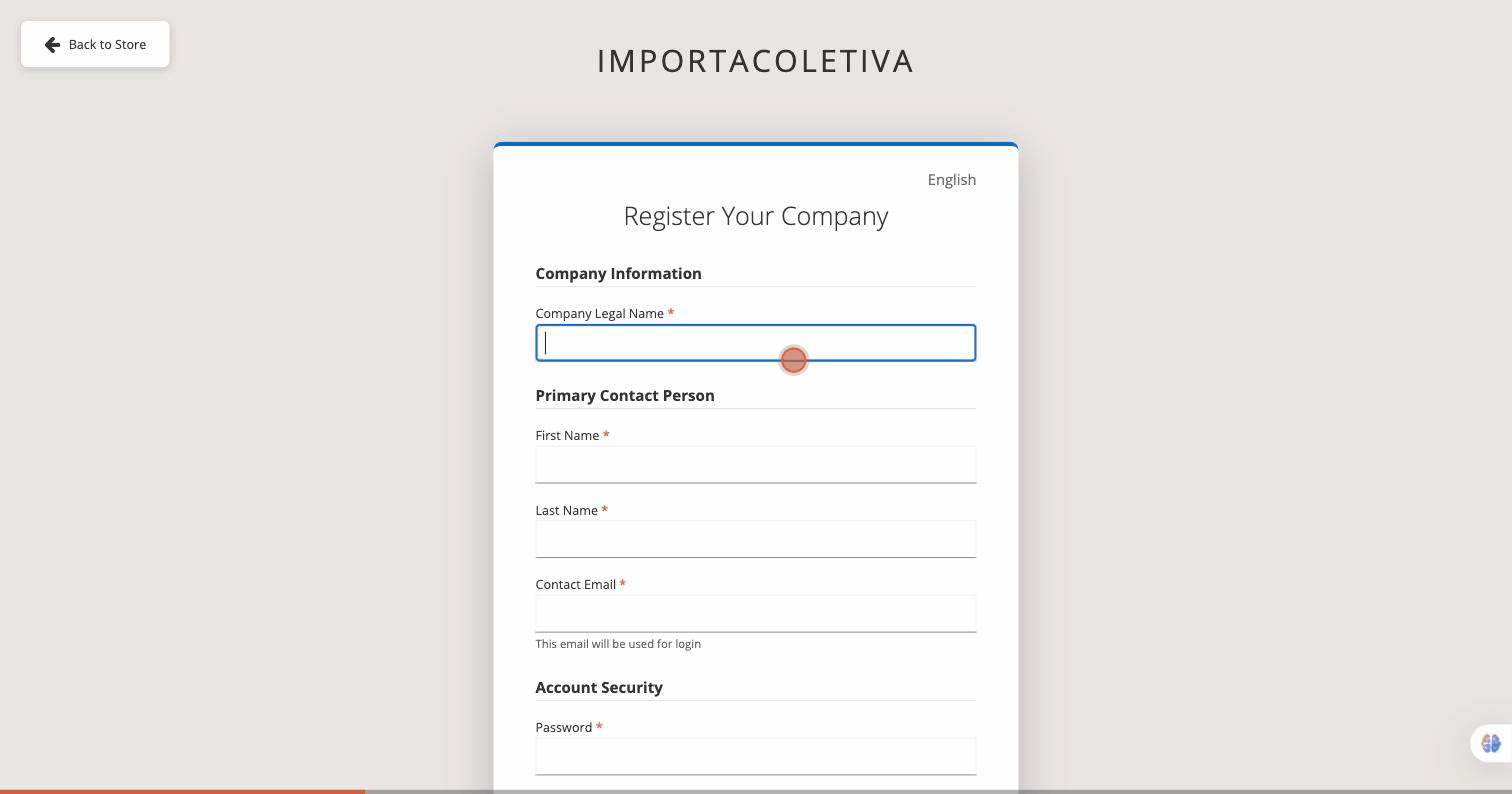
💡 Use the official name Type exactly as it appears in legal documents — e.g.: Acme Importações Ltda.
auth.importacoletiva.com.br — Register Your Company
Formulário de cadastro — seção Informações da Empresa
4

Fill in the Responsible Party's Details

In Primary Contact Person, Please fill in the three fields for the primary account holder.

📋 Fields to fill in First Name — first name of the person in charge
Last Name — last name of the person in charge
Contact Email — This will be your login username.
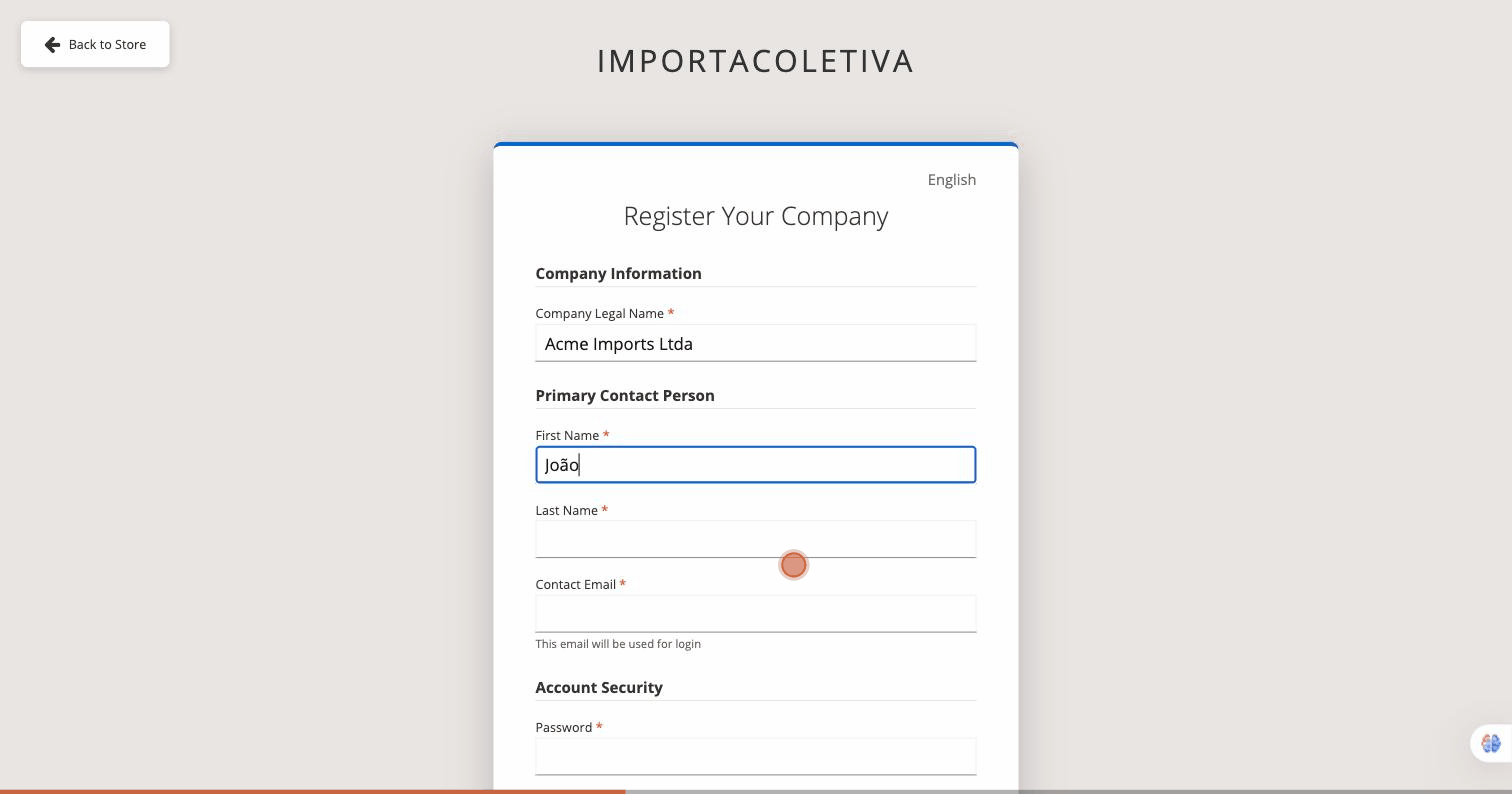
auth.importacoletiva.com.br — Register Your Company
Formulário de cadastro — seção Responsável Principal
5

Set your password.

In Account Security, Create a strong password and confirm it in the second field.
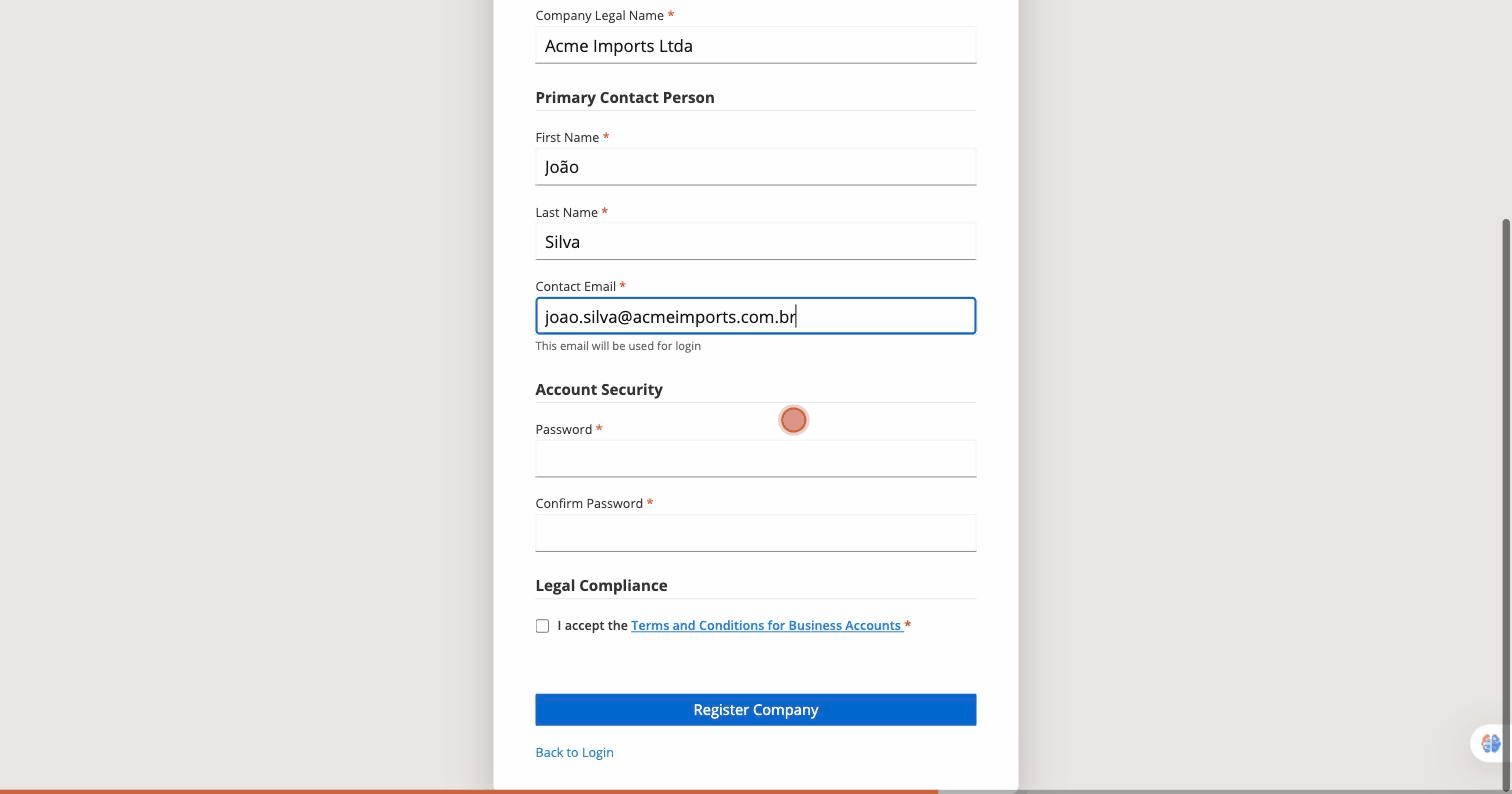
🔒 Password requirements Minimum of 8 characters with uppercase letters, lowercase letters, numbers and symbols — e.g.: MyPassword@2024.
auth.importacoletiva.com.br — Register Your Company
Formulário de cadastro — seção Senha
6

Accept the Terms and Conditions

In Legal Compliance, Check the box to accept the Terms and Conditions for Business Accounts.
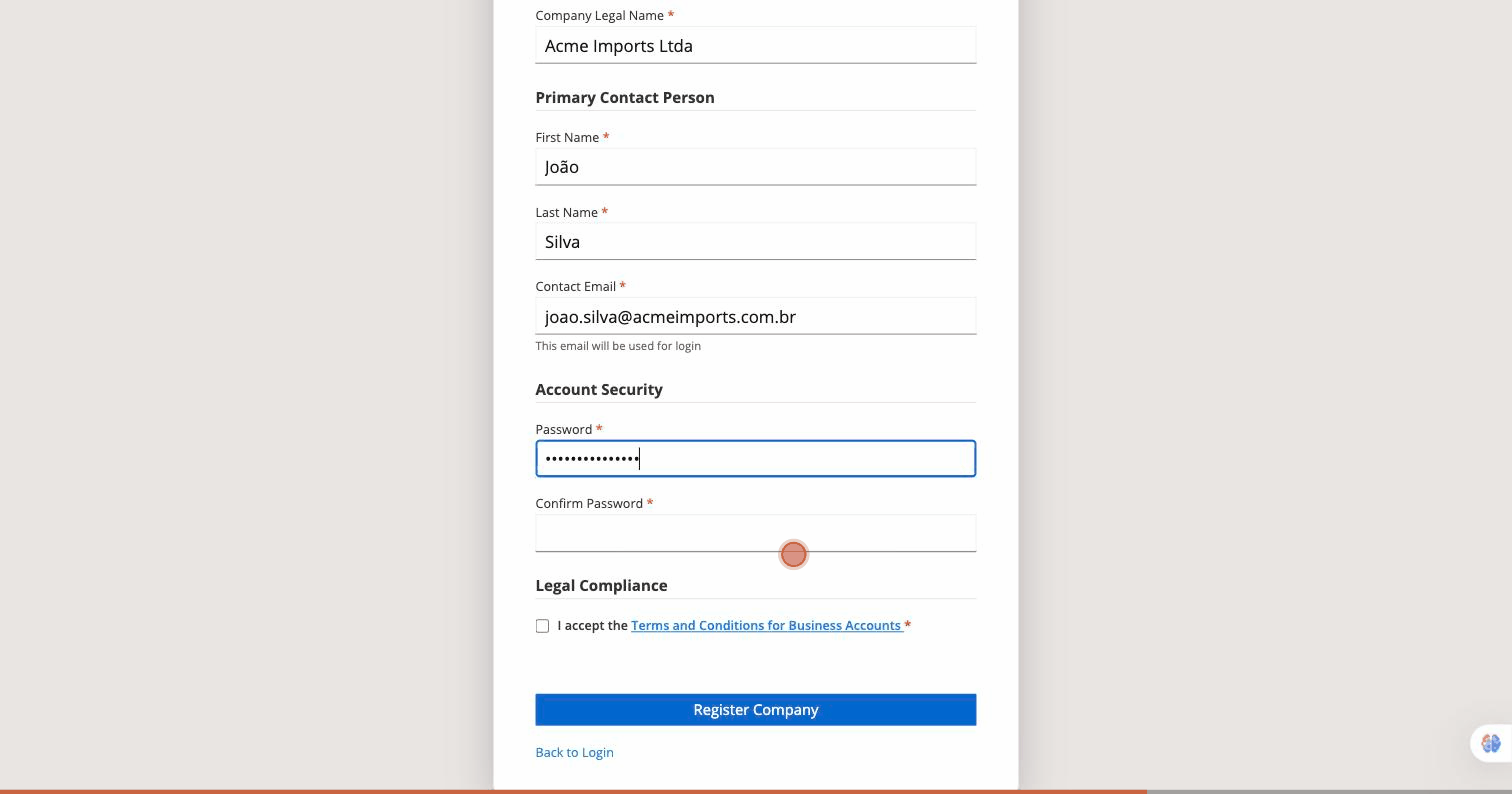
📄 Read before accepting Click the blue link to read the full terms before checking the box. This step is required to continue.
auth.importacoletiva.com.br — Register Your Company
Formulário de cadastro — checkbox Termos e Condições
7

Click on "Register Company""

With all fields completed and the Terms and Conditions accepted, click the button. Register Company to submit your registration.
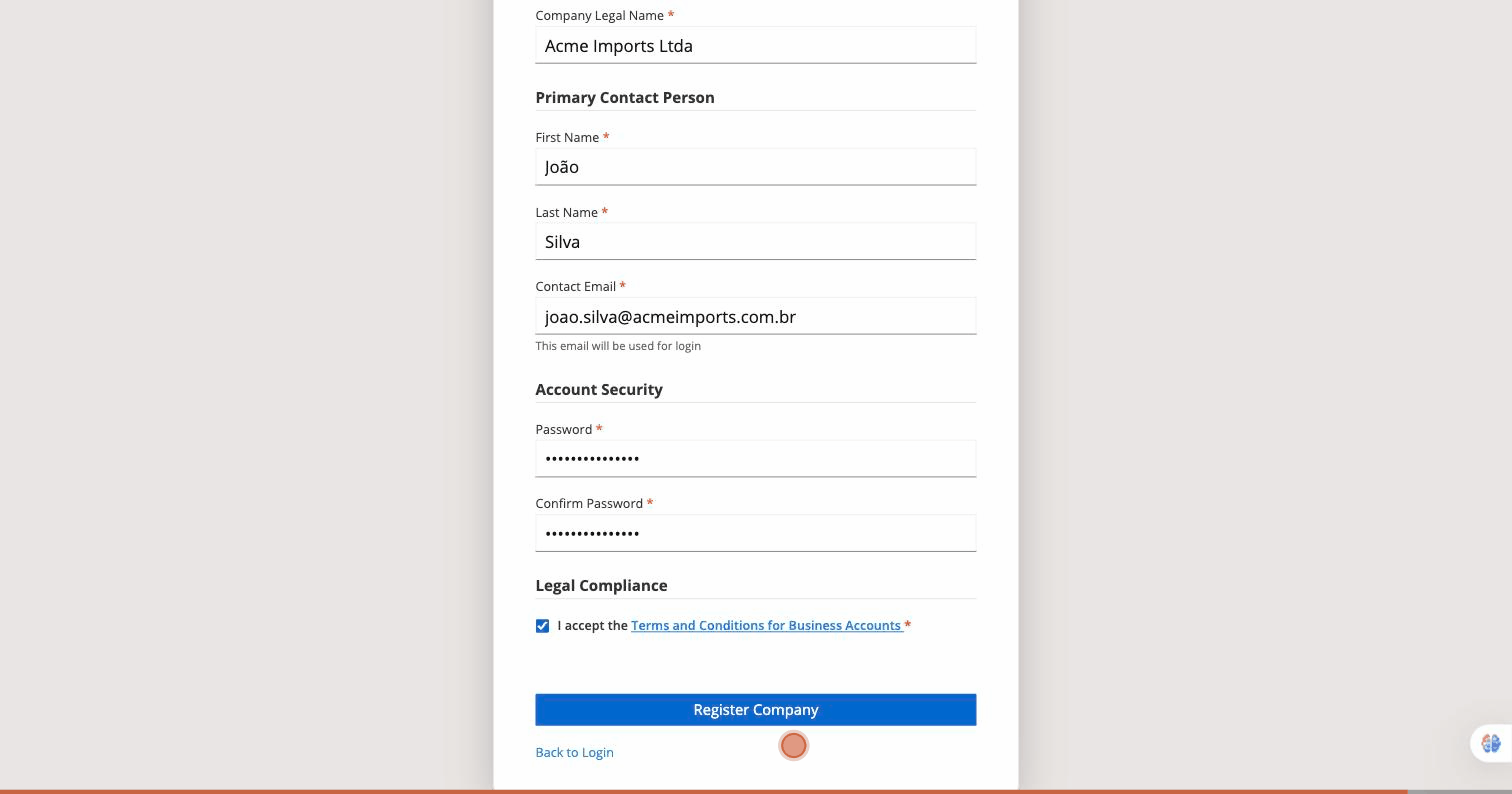
⚡ Almost there! After clicking, your account is created and a verification email is sent to the address you provided.
auth.importacoletiva.com.br — Register Your Company
Formulário de cadastro — botão enviar Register Company
8

Check your email.

You will see the screen of Email Verification. Open your inbox and click the link sent by Importacoletiva to activate your account.
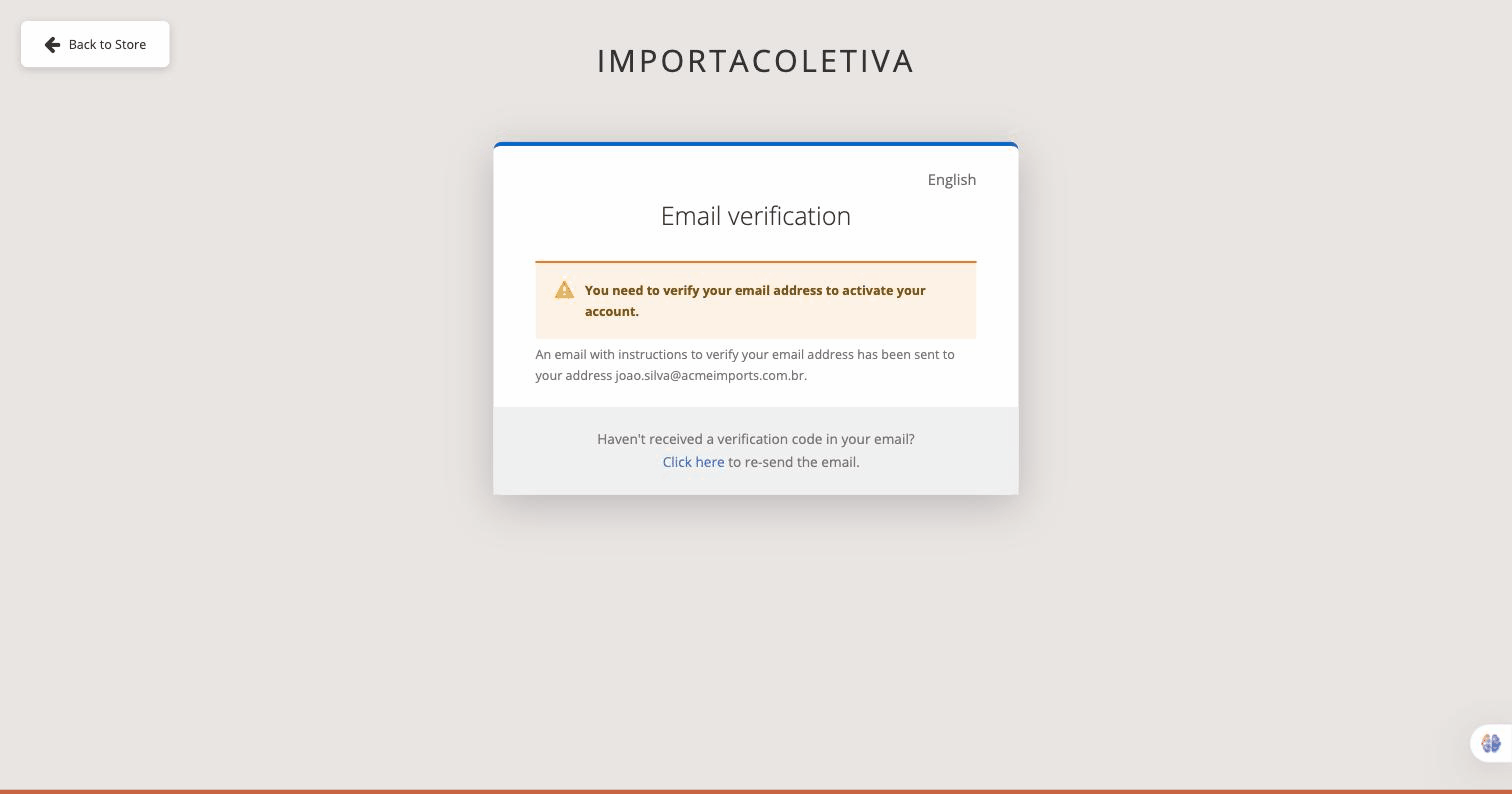
📬 Check your inbox Didn't find it? Check your spam folder or click here. ""Click here to re-send the email"" on the verification page.
auth.importacoletiva.com.br — Email verification
Tela de verificação de e-mail

See the complete registration in action.

An animated guide covering all 8 steps, from the homepage to email verification.

Animação do fluxo de cadastro de empresa na Importacoletiva
Scroll to Top